AltaMed Clinical Information Management System
Lead UX Researcher & Designer
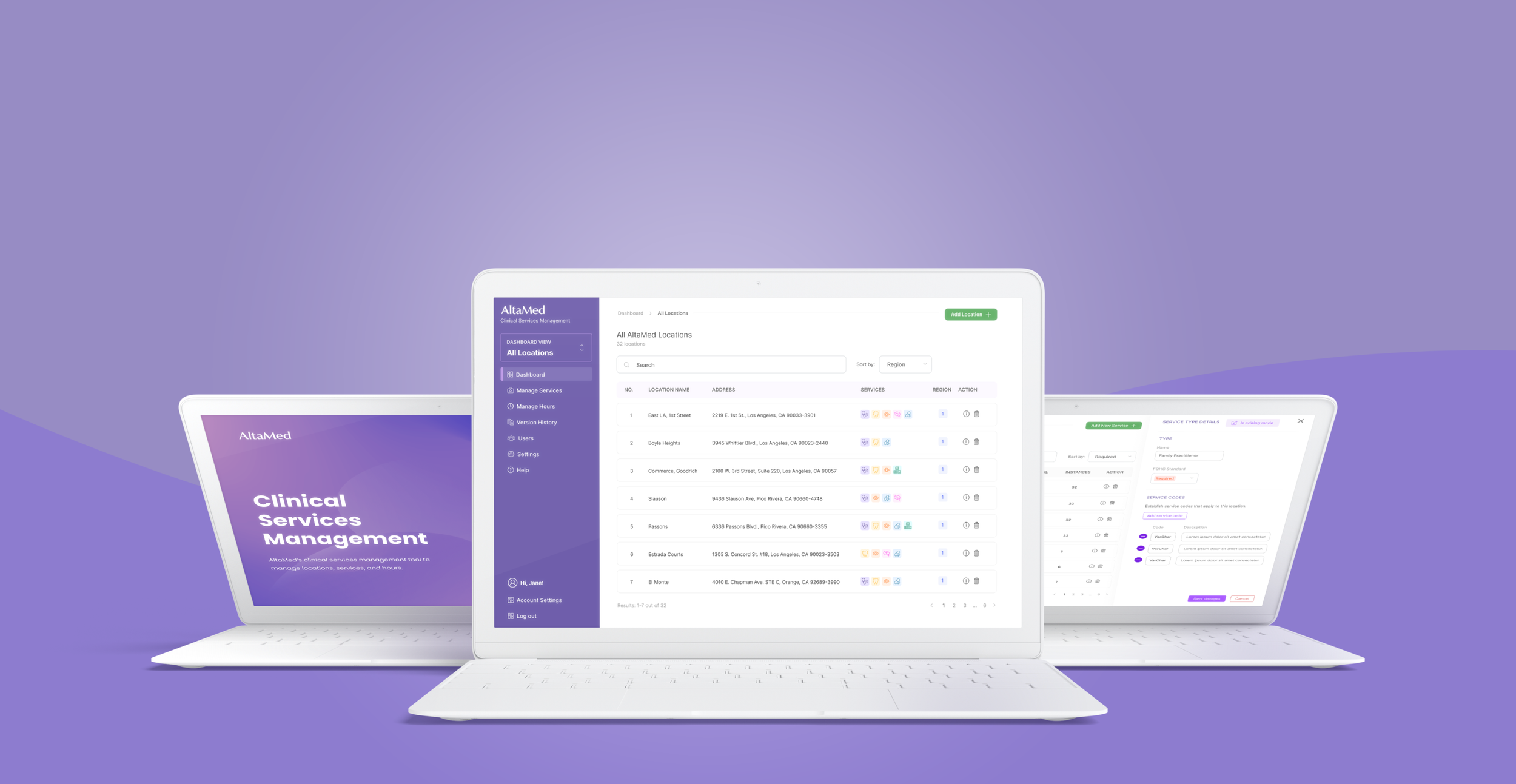

AltaMed serves more than 300,000 patients across Southern California, yet one of their most critical operational systems (an internal spreadsheet used to manage clinic information) was unreliable, outdated, and difficult to maintain.
I led the end-to-end UX research and product design of a new Clinical Information Management System that transformed a messy, error-prone workflow into a scalable, intuitive internal tool that supports staff in delivering safer, faster, and more consistent patient care.
The Challenge
AltaMed’s Patient Service Center (PSC) and internal operations teams relied on:
A massive, outdated Excel sheet
A secondary spreadsheet
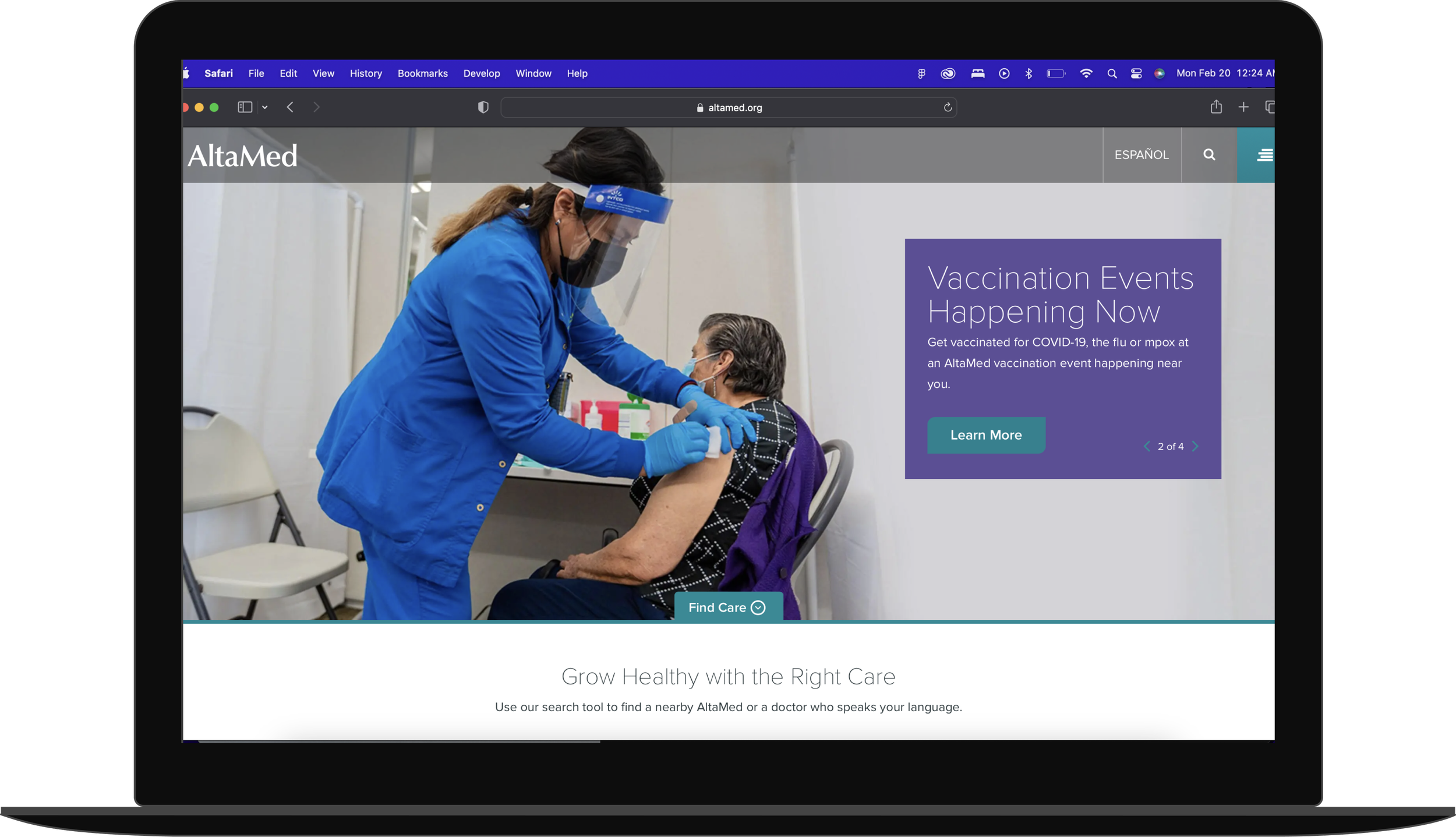
The public website
…just to answer simple questions like:
“What services does this clinic offer?”
“What are their hours today?”
“Does this location have special scheduling rules?”
The result: longer call times, inconsistent data, costly errors, and time-consuming onboarding.
Foundational Research 🧩
After speaking to the “owner” of the operations spreadsheet (the person tasked with managing the tool) and the Patient Service Center (PSC), I became well aware of the task at hand and the impact that a solid solution can have. Across all conversations, the same issues surfaced:
1. No source of truth
The system held outdated, incomplete, and conflicting information.
2. High cognitive load & steep learning curve
Errors were common and onboarding new staff required lengthy training.
3. Disorganization slowed down calls
PSC agents often toggled between two Excel sheets + a website, costing minutes per interaction.
4. Error-prone data entry
Manual updates led to inconsistencies and created operational risk.
💡
Problem Statement
The existing Clinical Services Grid is inefficient, inconsistent, and unsustainable.
Its structure increases the risk of human error, creates operational delays, and burdens staff across departments.
There is a clear opportunity to create a centralized, structured, and accessible system that improves accuracy, reduces time spent searching for information, and standardizes data management.
Design Goals
Based on research and operational constraints, I defined three core objectives:

A clean interface
Reduce cognitive load with a clear visual hierarchy and structured content.
Intuitive Workflows
Simplify administrative tasks so staff can update information confidently and quickly.

Standardized Data Entry
Establish uniform fields and rules that reduce errors and ensure consistent reporting.
Mapping the System
Because this was the first tool of its kind at AltaMed, I developed the foundational UX architecture: primary user flows, information architecture, component behaviors, system rules and constraints.
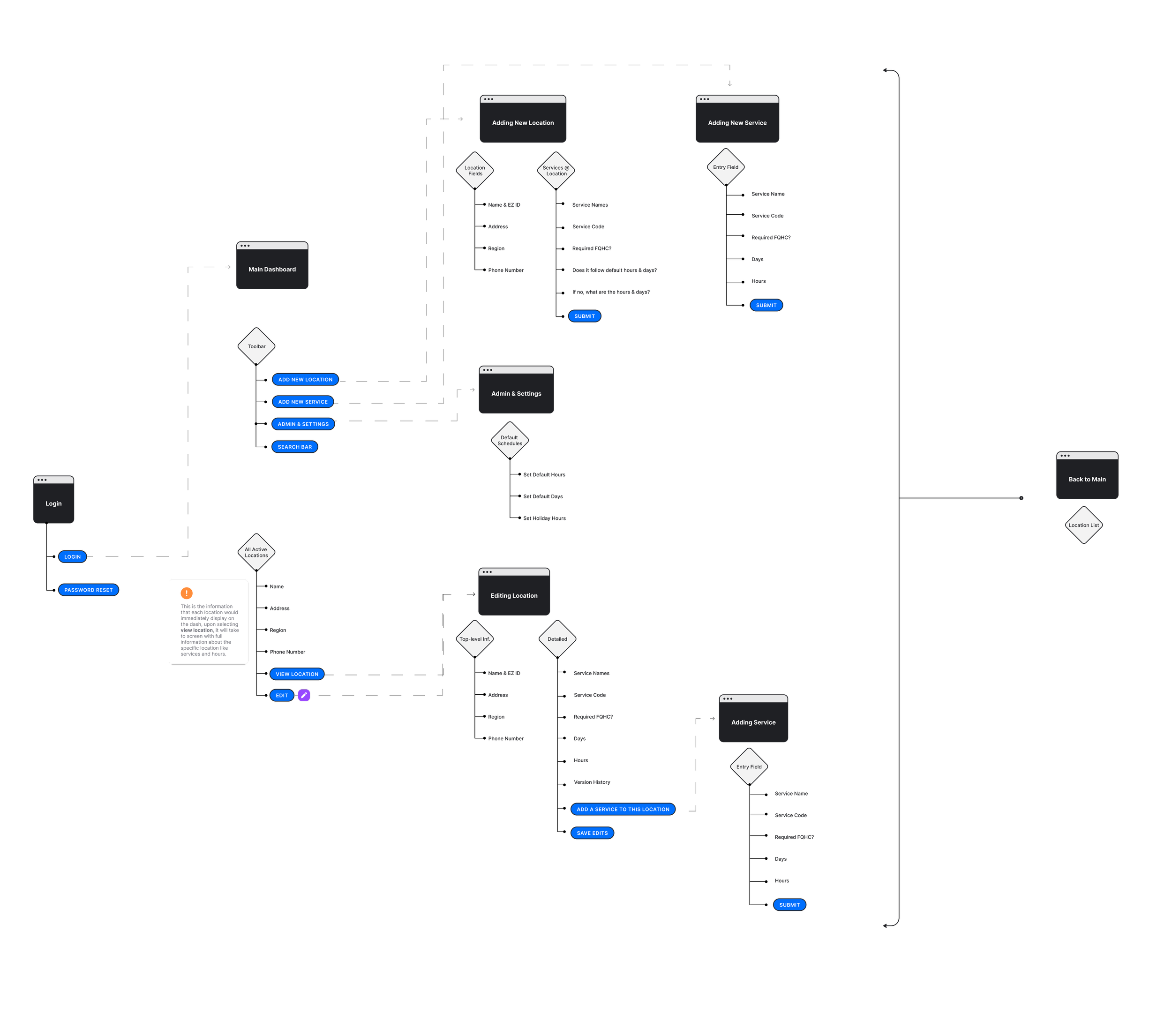
This work informed engineering requirements and aligned stakeholders around a unified vision before design began.
Designing the Product
Through iterative cycles of ideation, wireframing, prototyping, and feedback sessions with engineering and operational teams, we moved from ambiguous spreadsheets to a structured, usable product.
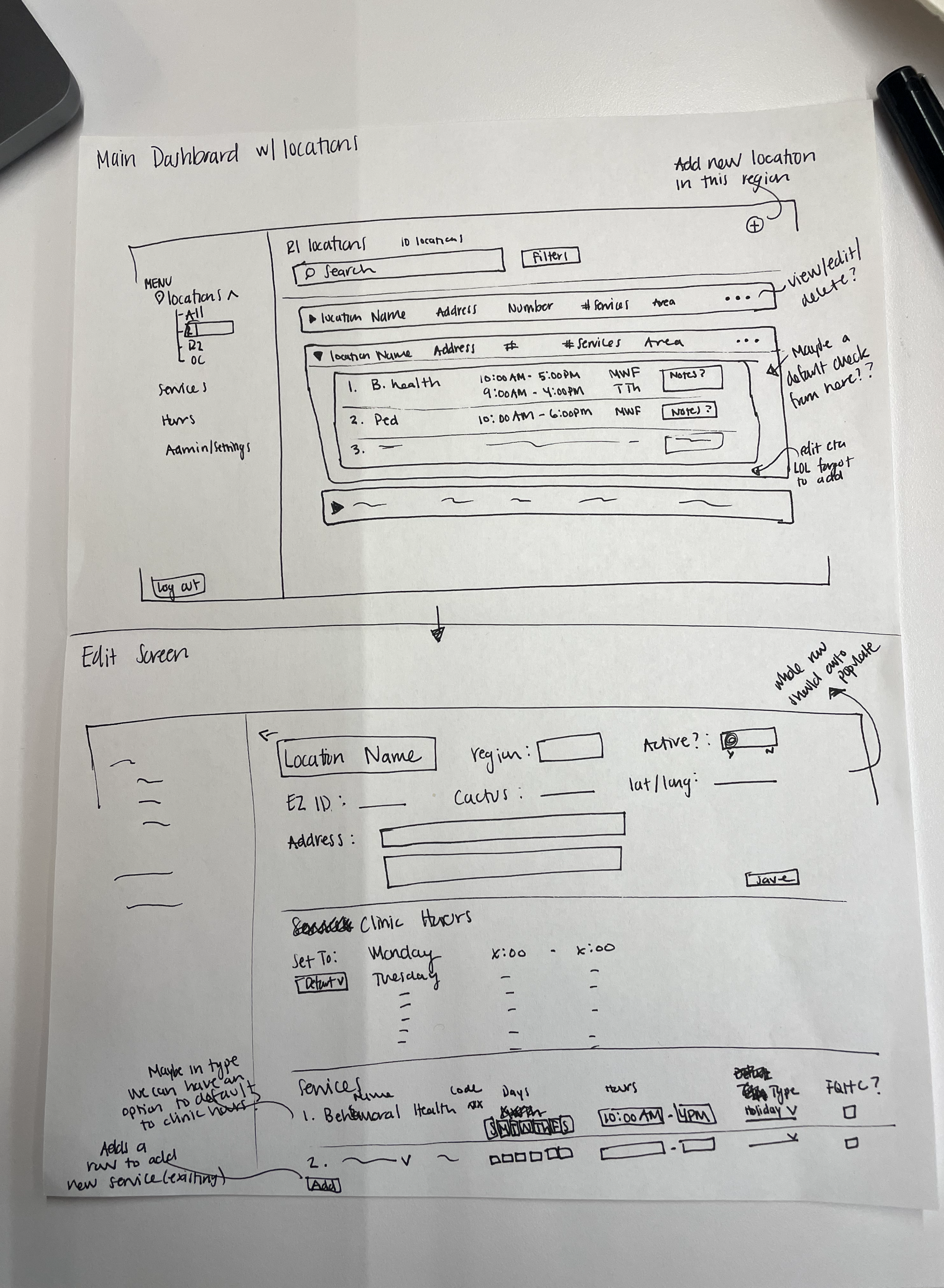
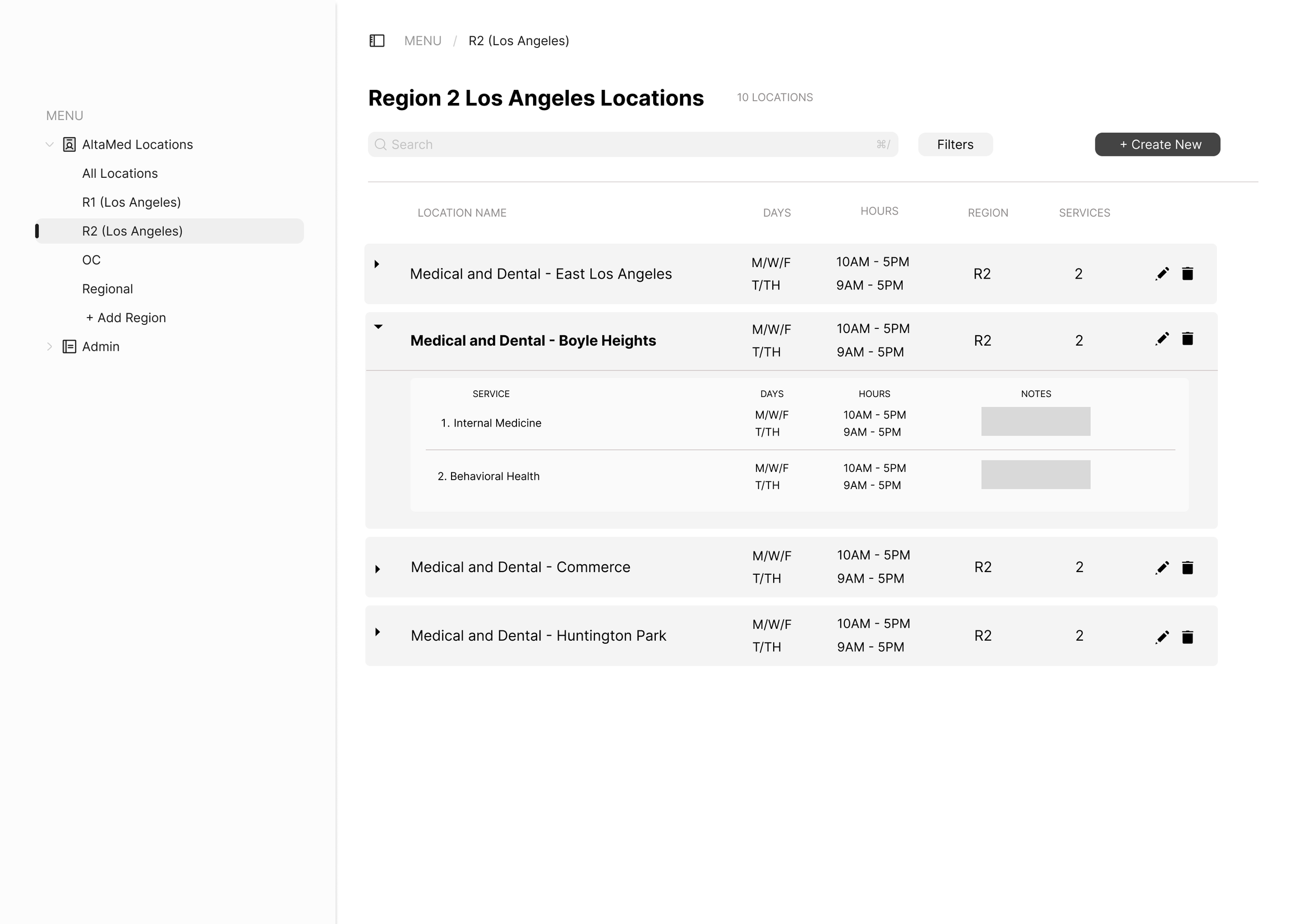
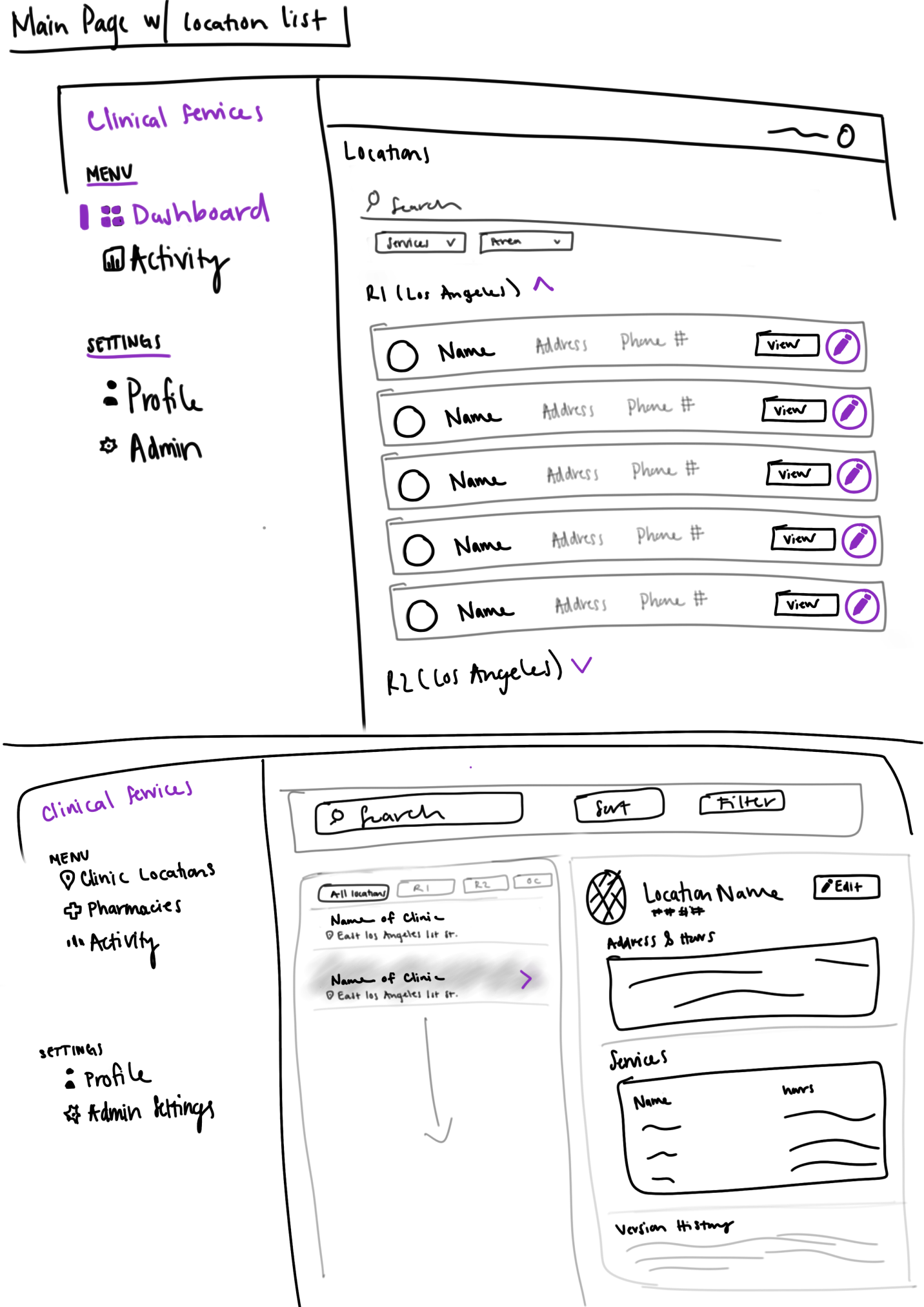
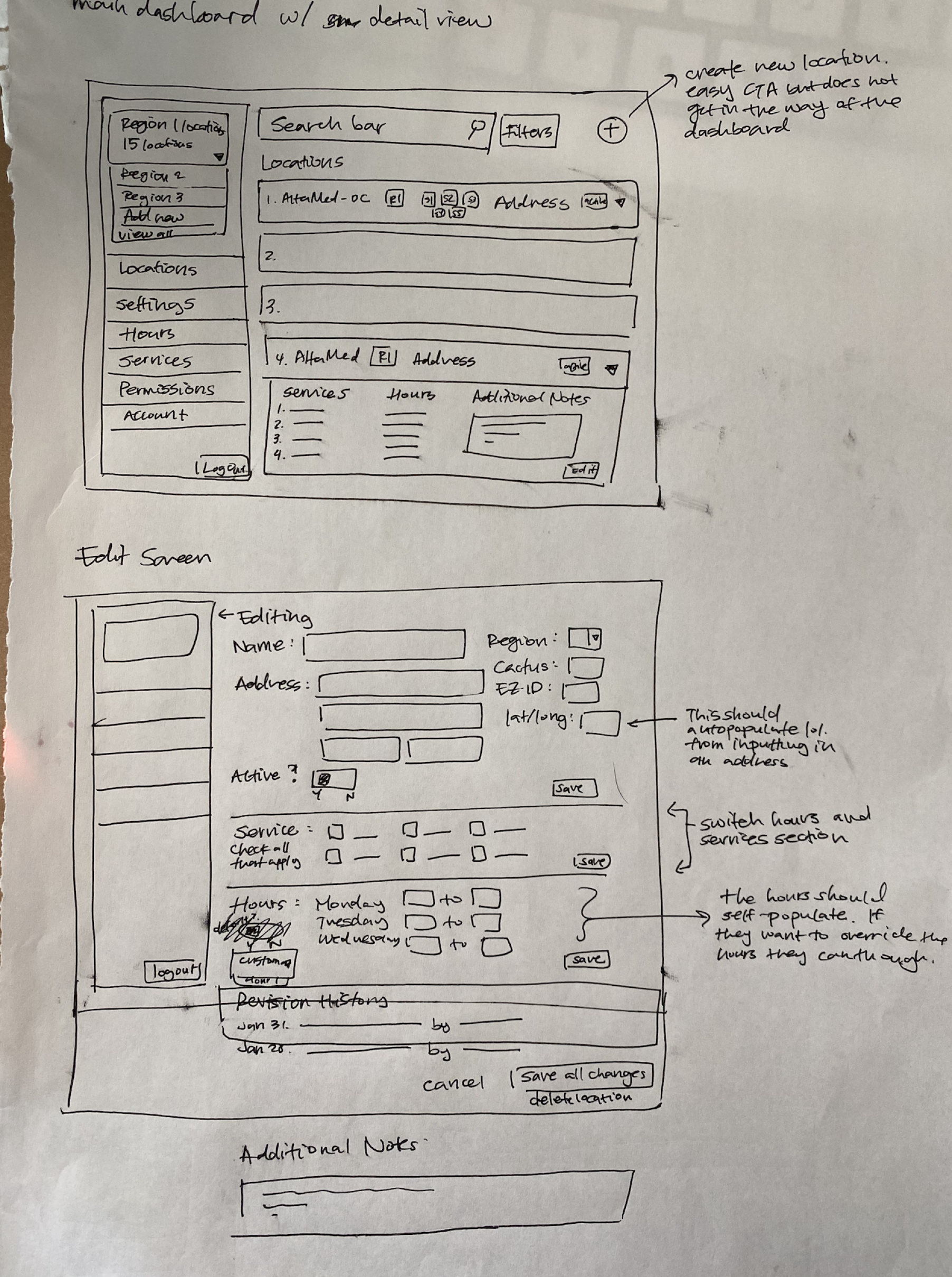
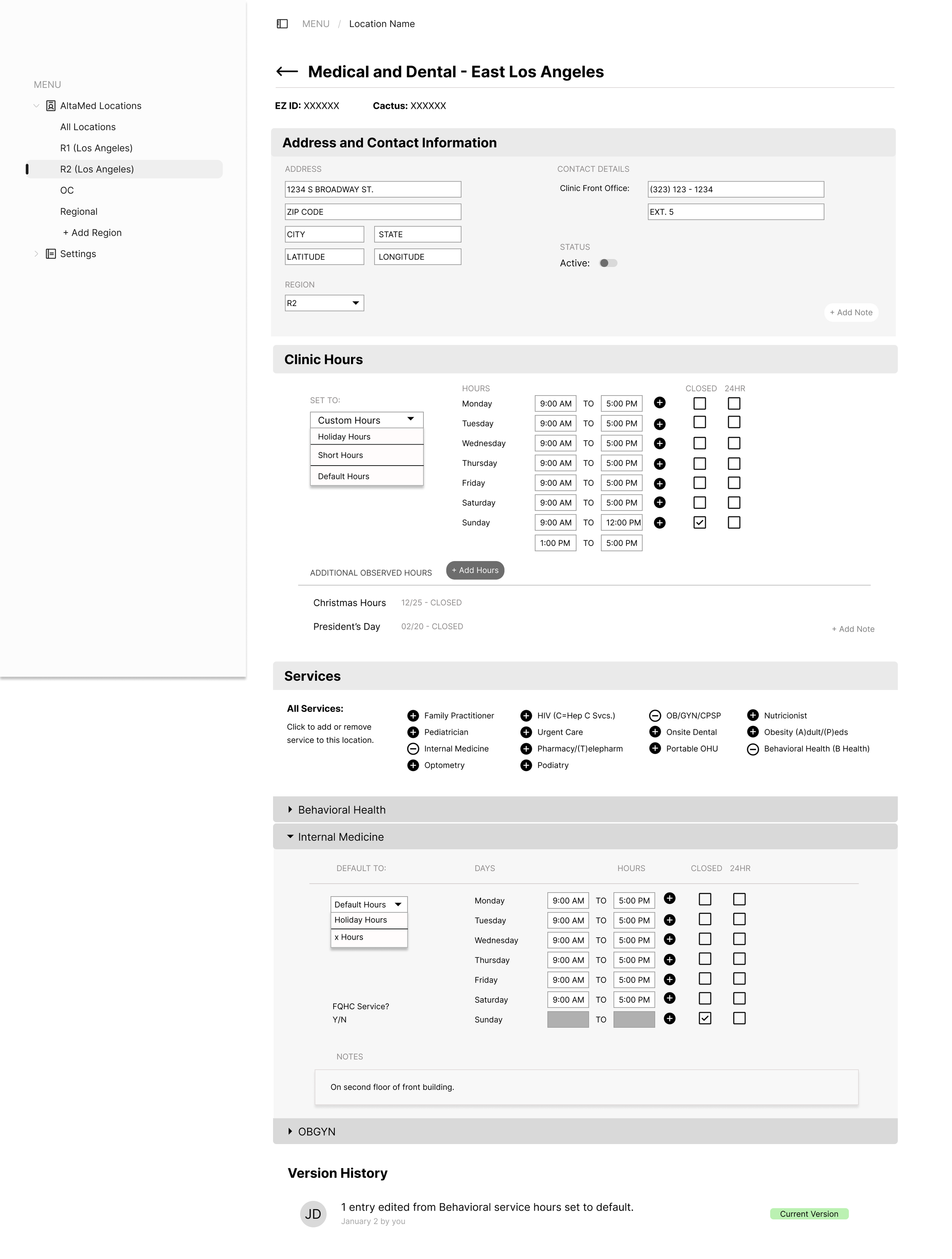
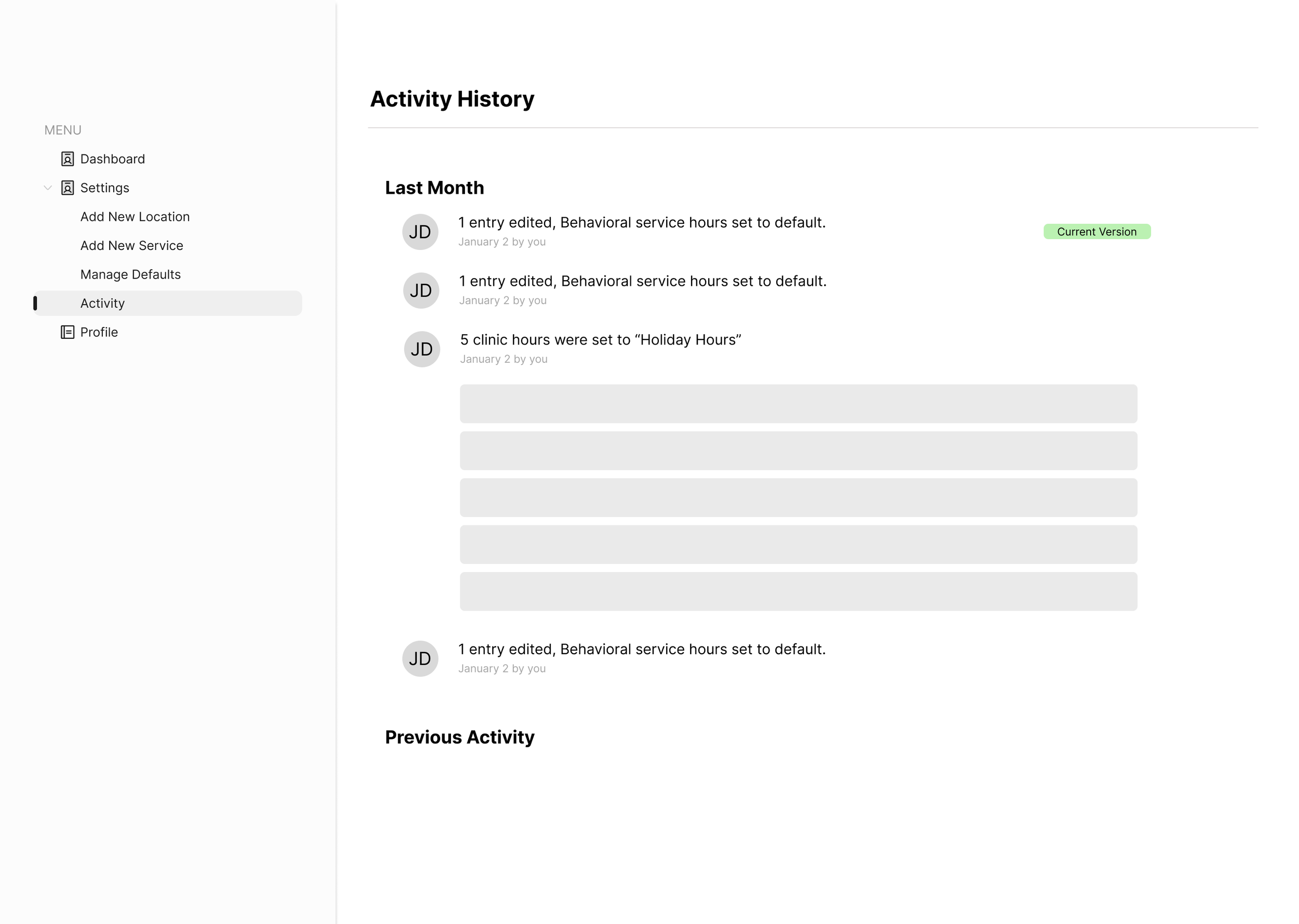
During each phase, innovative ideas and insights came to light. Ensuring practicality and integration by holding regular check-ins with developers, project managers, and account teams, leading us to a solid MVP.
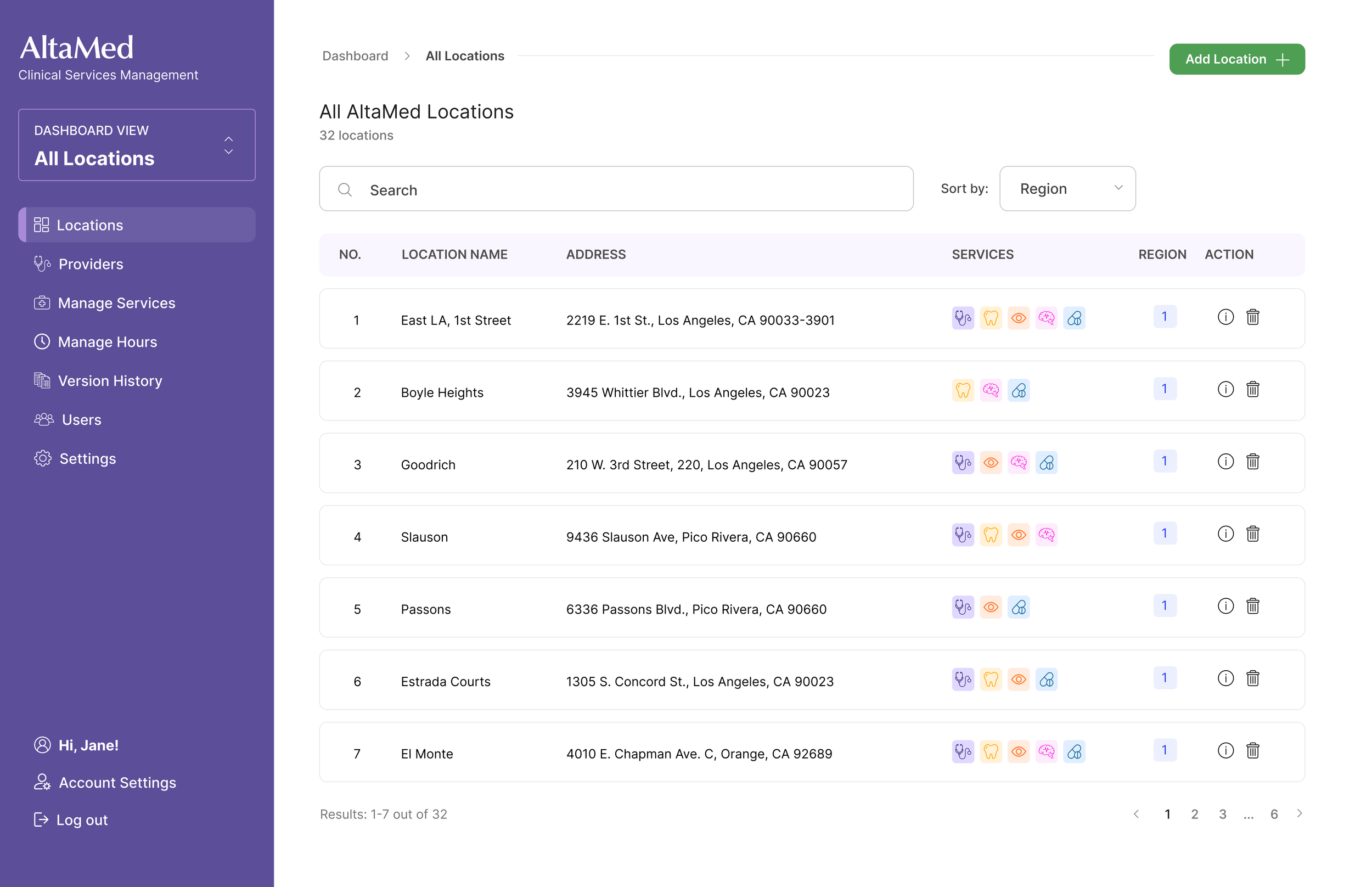
Unified Dashboard
A single place to manage: Clinic locations, Services. Regions, Hours, Editing & administrative tasks.
Designed for PSC speed: quick access = shorter call times.
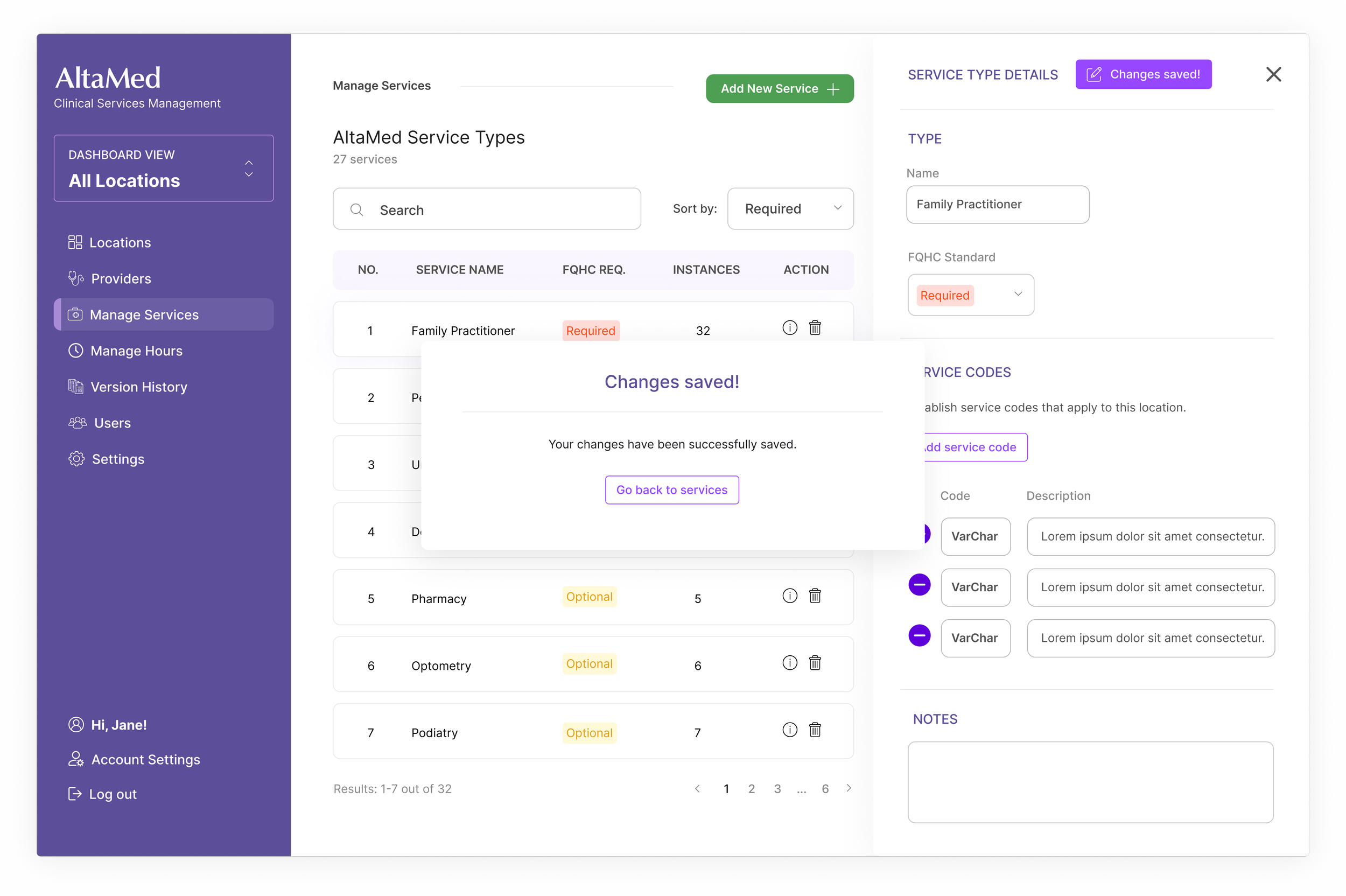
Service Management
Users can add or modify services with structured metadata, including: Service type, Descriptors, Region/clinic applicability.
This dramatically improves onboarding and ensures clarity across teams.
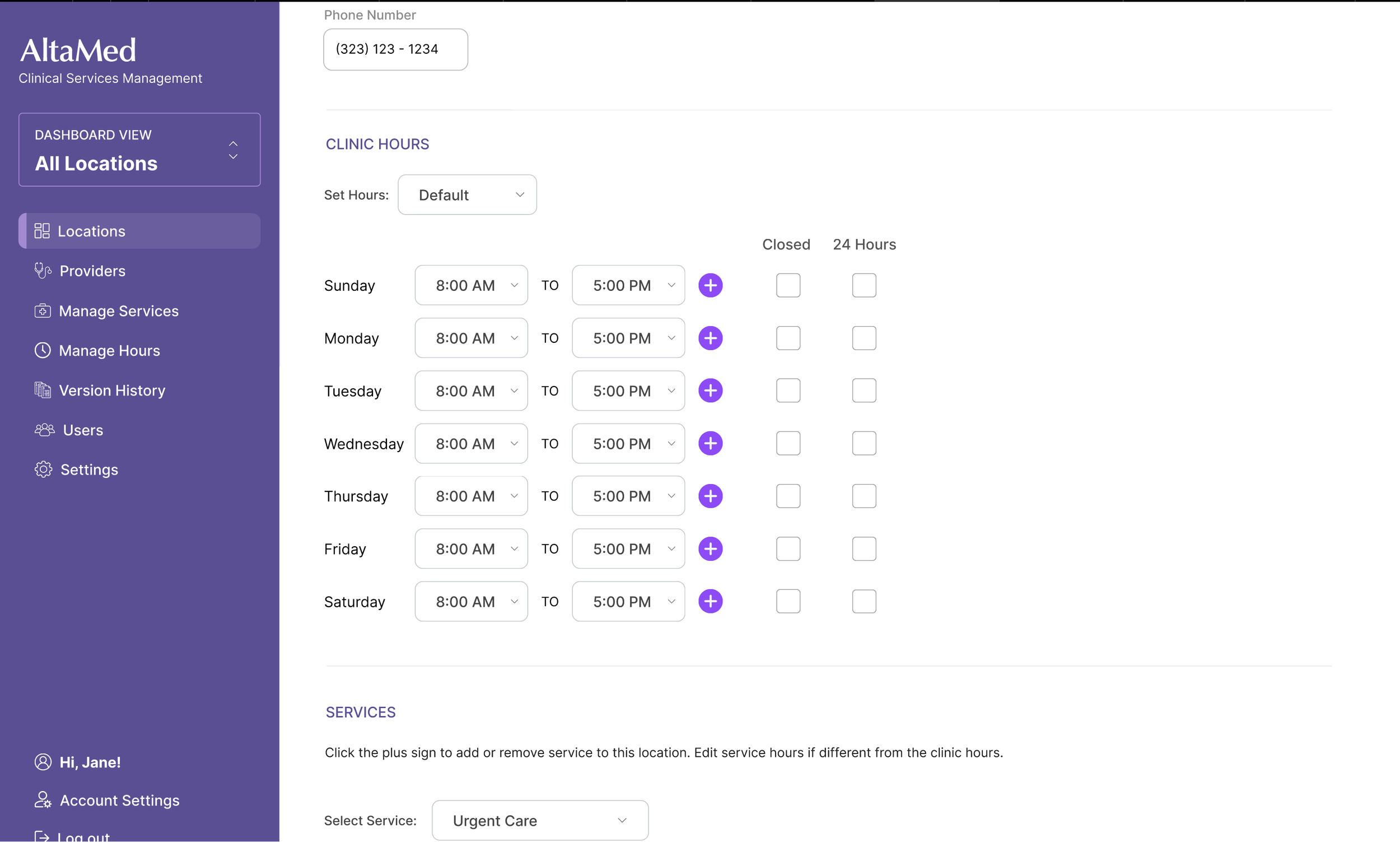
Smart Hours Management
Staff can easily configure: Standard hours, Breaks, Holiday schedules, Unique scheduling rules.
Replaces inconsistent manual updates with predictable patterns.
In action with high fidelity prototyping 🎬
Where is it today? The new Clinical Information Management System is currently in active testing with PSC and operations teams.
Feedback cycles are informing the next phase, which will integrate additional data to support even broader operational needs.